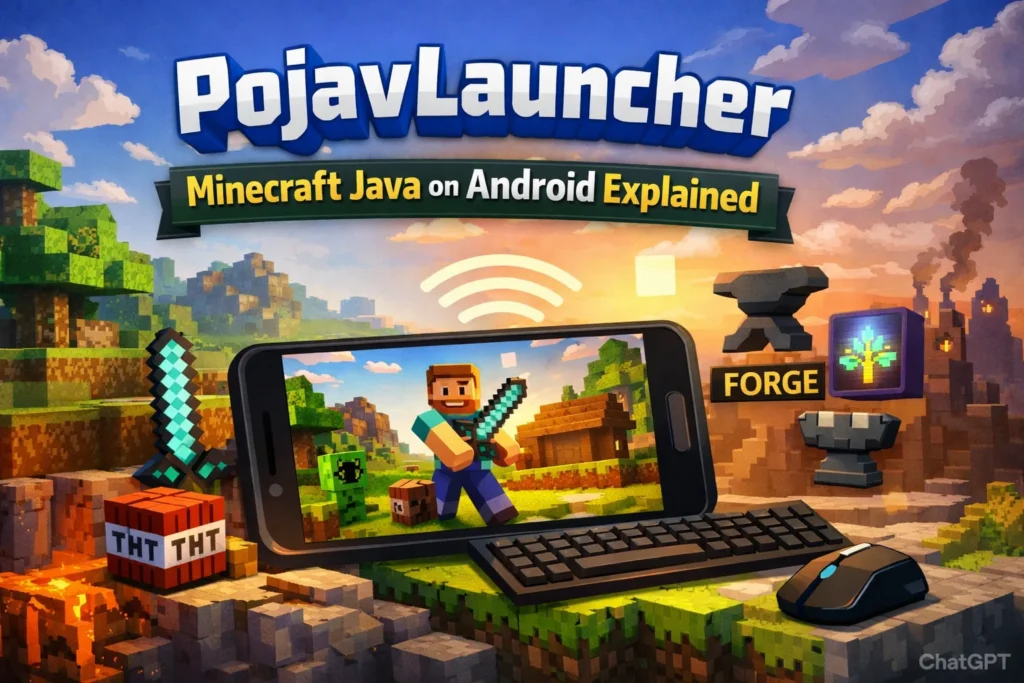
For years, Minecraft Java Edition has been the platform of choice for players who value modding flexibility, server access, and the full range of PC features. Yet, the barrier of needing a desktop or laptop has left mobile users on the sidelines until solutions like PojavLauncher emerged. PojavLauncher allows Android devices to run Minecraft Java Edition almost seamlessly, opening the door to the same expansive gameplay that PC users enjoy. For fans who want to experience mods, custom servers, and Java-exclusive features on a handheld device, this launcher is a game-changer.
Beyond convenience, PojavLauncher matters because it empowers a broader audience to explore the Minecraft ecosystem without compromising on experience. Whether you are a student without access to a PC, a mod enthusiast testing new builds, or a content creator demonstrating gameplay on the go, understanding how to use this launcher safely and efficiently is crucial. With proper setup, PojavLauncher bridges the gap between mobile and desktop Minecraft, offering a practical solution for serious players.
What is PojavLauncher?
PojavLauncher is an open-source launcher designed to run Minecraft Java Edition on Android devices. Unlike Minecraft Bedrock Edition, which is natively available for mobile, Java Edition includes advanced features, custom servers, and support for a vast array of mods and shaders. PojavLauncher essentially replicates the PC Java environment, enabling Android users to play Minecraft as if they were on a desktop. It uses a Java runtime optimized for Android, providing compatibility with most versions from 1.0 through the latest releases.
The launcher appeals primarily to tech-savvy players who want a portable Java experience. Its open-source nature means that developers and advanced users can tweak it for performance, mods, or specific server connections. While the launcher does not inherently bypass account requirements, it supports both Microsoft logins and offline play, making it versatile for multiple scenarios. Expert users highlight that PojavLauncher is particularly valuable for mod testing, server administration, and content creation on the go, although casual players may find setup challenging at first.
“PojavLauncher isn’t just about playing Minecraft on a phone it’s about bringing the full PC Java experience into your pocket.”
A key feature is mod compatibility, which includes support for Forge, Fabric, and OptiFine. Players can install their favorite performance tweaks, shaders, and adventure mods just like on a desktop. This allows for complex modpacks, multiplayer servers, and custom maps to be experienced on Android without significant compromise. While performance varies by device, even mid-range phones can run versions up to 1.16 reasonably well, making it accessible beyond high-end models.
Key Features of PojavLauncher
PojavLauncher’s appeal lies in its feature-rich environment tailored for mobile Java players. Its full version support allows users to access Minecraft from the original 1.0 release to the newest snapshots. For modders, it supports the same .jar files used on PCs, meaning that performance, tech, or adventure mods can be installed directly. Shader support, including lightweight and advanced shaders, further enhances graphics without requiring a full desktop setup.
Custom control options make the launcher highly flexible. Players can use touch-based controls, pair external keyboards and mice, or even connect gamepads for a console-like experience. Microsoft account login ensures full access to official servers, while offline mode provides a sandbox environment for solo play. Another major benefit is the lightweight installation, requiring only 20–30 MB of storage for the APK itself, with additional game files stored separately.
“Mod compatibility on PojavLauncher means Android users can finally test large modpacks without a PC.”
For developers and enthusiasts, the launcher provides debugging logs and performance insights, making it easier to troubleshoot mod issues or server connectivity problems. Additionally, PojavLauncher supports version switching, which is crucial for testing older worlds or modded environments. Unlike some mobile clones, it prioritizes fidelity to the original PC experience, ensuring that what you see on Android mirrors what you would expect on a desktop.
System Requirements and Device Compatibility
Although PojavLauncher is powerful, device specifications directly affect performance. The minimum requirement is Android 7.0 with at least 4 GB of RAM, but optimal performance usually requires Android 10+ with 6–8 GB RAM. CPUs like Snapdragon 660 handle early versions comfortably, while Snapdragon 870+ or equivalent provides smoother gameplay for later releases. Storage requirements range from 2 GB minimum to 5 GB+ for full modded installations.
| Component | Minimum | Recommended |
|---|---|---|
| Android Version | 7.0 | 10+ |
| RAM | 4 GB | 6–8 GB |
| CPU | Snapdragon 660 | Snapdragon 870+ |
| Storage | 2 GB | 5 GB+ |
“Even capable phones can struggle above version 1.16 if mods or shaders are used heavily.”
Device compatibility also depends on GPU support and thermal management. Mid-range devices can run early versions smoothly, but intensive modpacks, high-resolution textures, or shaders may cause lag, overheating, or crashes. Players are advised to monitor RAM usage, reduce render distance, and avoid unnecessary background apps. Expert advice suggests starting with vanilla versions before progressively adding mods to assess performance thresholds.
How to Install PojavLauncher on Android
Installing PojavLauncher involves downloading the APK from the official source and configuring it to run Minecraft Java Edition. Users should avoid third-party APKs due to security risks. After installation, players log in with their Microsoft account or set up offline mode for solo play. Launching Minecraft for the first time may require downloading assets and libraries, similar to a desktop setup.
Step-by-Step Installation Guide
- Visit the official PojavLauncher GitHub or trusted website.
- Download the latest stable APK.
- Enable installation from unknown sources in Android settings.
- Install the APK and open the launcher.
- Log in with a Microsoft account or select offline mode.
- Choose the Minecraft version and configure Java memory allocation.
“Security matters always use official sources to prevent malware infections.”
Common Installation Issues and Fixes
Crashes at launch often result from mismatched Java runtime versions, insufficient RAM, or incomplete asset downloads. Black screens can appear if the wrong renderer is selected or incompatible mods are installed. Advanced users recommend adjusting Java memory allocation or selecting an alternative graphics backend in the launcher settings. Regularly updating both PojavLauncher and the Minecraft version mitigates most common errors.
Performance Optimization Tips
To maximize gameplay experience, players should focus on resource management and mod optimization. Reducing render distance, turning off non-essential shaders, and limiting concurrent background apps significantly improve frame rates. For devices with limited RAM, using lightweight modpacks or memory-efficient mods can prevent crashes and overheating.
Reducing Lag and Improving FPS
Adjusting Java heap size and selecting the proper rendering backend are critical. Players can also use optimization mods like Sodium or Lithium when available. Additionally, lowering particle effects, view distance, and animation settings enhances stability without sacrificing core gameplay.
Best Practices for Mods and Shaders
Installing too many mods at once can overload memory and GPU capabilities. Expert players suggest adding mods incrementally, testing stability after each installation. Shader packs should be selected based on device performance—lighter shaders offer visual improvements without the lag-heavy effects of full HD packs.
“Test mods individually before combining them to avoid crashing mid-session.”
Safety, Legality, and Security Considerations
PojavLauncher itself is legal and open-source, but legality depends on the user owning a legitimate Minecraft Java account. Using cracked versions or pirated mods exposes users to malware risks and legal consequences. Safety measures include downloading only from official repositories, avoiding suspicious third-party APKs, and monitoring device permissions.
“Owning your Minecraft account is non-negotiable for a legal, secure PojavLauncher experience.”
Security is not just legal it’s practical. Android devices running unverified APKs are vulnerable to malware and data theft. Users should enable Play Protect, avoid granting unnecessary permissions, and back up game worlds regularly. Following these practices ensures that the PojavLauncher experience remains safe, stable, and enjoyable.
Common Problems and Troubleshooting
Despite its capabilities, PojavLauncher may present challenges for Android users. Black screens, crashes, and overheating are the most frequently reported issues. Solutions include adjusting renderer settings, updating the launcher, reducing mod load, and monitoring RAM allocation. Overheating can be mitigated with short sessions, cooling methods, or reducing graphical intensity.
Black Screen on Launch
Often caused by incorrect renderer selection or incompatible mods. Switching to a different renderer in the settings or launching without mods usually resolves the issue.
Crashes During Gameplay
Memory allocation errors, incompatible mods, or outdated libraries are common culprits. Incremental mod installation and updating the Java runtime can prevent these crashes.
Overheating and Battery Management
Long sessions with high graphical settings may cause devices to overheat. Lowering render distance, disabling shaders, and taking breaks are recommended to maintain performance.
Who Should Use PojavLauncher?
PojavLauncher is best suited for tech-savvy users, mod testers, and dedicated Minecraft enthusiasts who want a full Java experience on mobile. It is less ideal for casual players or those with low-end devices due to setup complexity and performance requirements. Content creators and educators may also find it valuable for demonstrating gameplay or running mod experiments without a PC.
Alternatives to PojavLauncher
While PojavLauncher is the most robust option for Minecraft Java on Android, alternatives include MCinaBox, BlockLauncher, and official Minecraft Bedrock Edition. These alternatives vary in features, mod support, and performance. Bedrock Edition is smoother for casual play but lacks the extensive modding:
| Launcher | Java Support | Mod Support | Best Use Case |
|---|---|---|---|
| PojavLauncher | Full | Forge/Fabric/OptiFine | Modded gameplay on Android |
| MCinaBox | Partial | Limited | Lightweight Java experiments |
| BlockLauncher | No | Limited Bedrock mods | Custom maps & resource packs |
| Minecraft Bedrock | No | Marketplace only | Casual mobile gameplay |
Frequently Asked Questions
What is PojavLauncher and how does it work?
PojavLauncher is an open-source Android launcher that allows you to run Minecraft Java Edition on mobile devices. It works by creating a Java runtime environment on your Android phone, letting you play the full PC version of Minecraft, including mods, custom servers, and shaders.
Is PojavLauncher safe to use?
Yes, PojavLauncher is safe if downloaded from official sources like GitHub. Legal safety requires that you own a legitimate Minecraft Java account. Avoid third-party APKs or cracked accounts, as they may contain malware or violate copyright laws.
What devices can run PojavLauncher?
PojavLauncher requires Android 7.0 or higher, with at least 4 GB of RAM for basic performance. For smoother gameplay, Android 10+ and 6–8 GB of RAM are recommended. Higher-end devices handle advanced mods and shaders better, while low-end phones may struggle with versions above 1.16.
Can I play modded Minecraft with PojavLauncher?
Yes. PojavLauncher supports Forge, Fabric, and OptiFine, enabling the installation of most PC mods and modpacks. However, performance depends on your device, and heavy mods or shaders may cause lag or crashes if not optimized.
Why does PojavLauncher crash or show a black screen?
Common issues include incompatible mods, incorrect renderer settings, insufficient RAM, or mismatched Java versions. Fixes include removing mods, changing the renderer, updating the launcher, or adjusting memory allocation in settings.
Can I use controllers or keyboards with PojavLauncher?
Yes. PojavLauncher supports touch controls, external keyboards and mice, and partial gamepad support. This allows players to replicate a PC-like experience on Android devices.
What are the alternatives to PojavLauncher
Alternatives include MCinaBox (lightweight Java testing), BlockLauncher (Bedrock mod support), and Minecraft Bedrock Edition (smooth mobile gameplay). Bedrock Edition is easier for casual play, but it lacks Java mod capabilities.
Is PojavLauncher legal?
Yes, if you own a legitimate Minecraft Java account. Using pirated accounts or distributing modified game files is illegal. The launcher itself is open-source and fully legal, but account ownership determines compliance.
Conclusion
PojavLauncher transforms Android devices into a viable platform for Minecraft Java Edition, delivering mod support, server access, and the full desktop experience in a portable format. While performance varies by device, proper setup, mod management, and optimization strategies allow users to enjoy even complex modpacks without a PC. For enthusiasts and advanced players, it is an invaluable tool for testing, content creation, and portable gameplay.
Whether you are a seasoned Minecraft player, a mod developer, or someone looking to explore Java Edition on the go, understanding PojavLauncher’s features, requirements, and best practices is essential. By following installation guidelines, optimizing performance, and prioritizing safety, players can fully leverage the launcher’s capabilities and enjoy a rich, mobile Java Minecraft experience.