
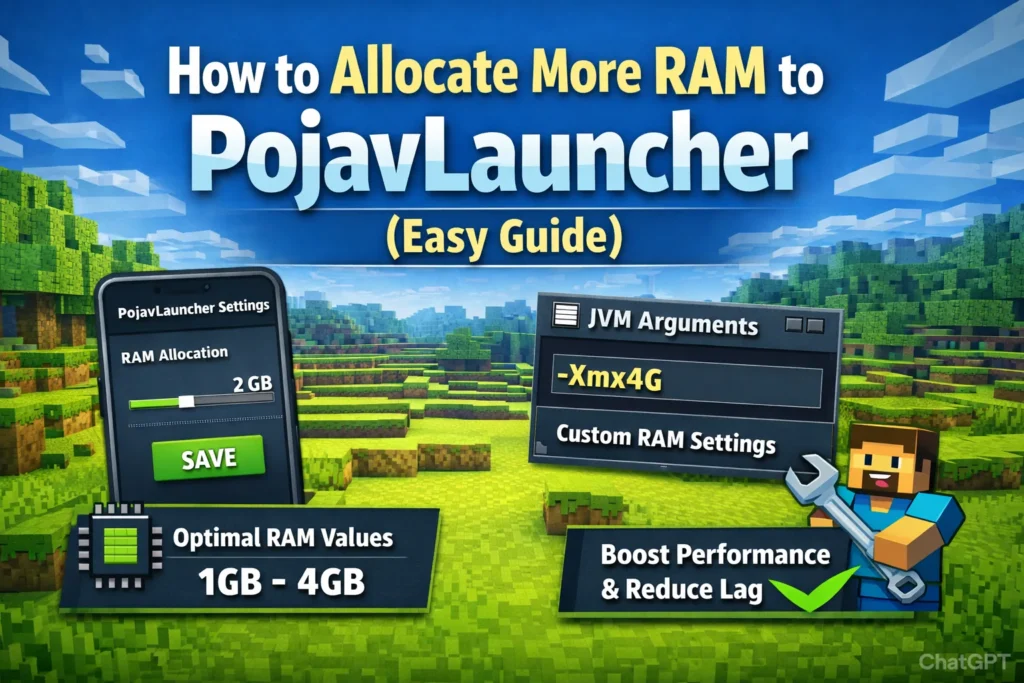
Allocating more RAM to PojavLauncher is one of the most common and effective ways to improve Minecraft Java performance on Android. Because Minecraft Java was originally designed for desktop systems, it often struggles on mobile hardware without proper memory management. When users experience lag, long loading times, or sudden crashes, insufficient RAM is usually the root cause. Understanding how RAM allocation works allows players to turn an unstable setup into a smooth, playable experience.
This topic matters especially for users running newer Minecraft versions, heavy mods, or shader packs. Beginners often assume that simply increasing RAM will fix everything, while advanced users know that incorrect allocation can actually make performance worse. This guide is written for both groups, focusing on practical methods, real-world limits, and expert-level optimization strategies that actually work on Android devices.
What RAM Allocation Means in PojavLauncher
RAM allocation in PojavLauncher refers to how much system memory is reserved specifically for Minecraft Java while it is running. This memory is used to load world data, textures, entities, chunks, and mods. If too little RAM is allocated, the game constantly unloads and reloads data, leading to stuttering, freezing, and crashes. If too much RAM is allocated, Android itself runs out of memory, causing background app kills, system lag, or the launcher crashing entirely.
Unlike PC, Android manages memory very aggressively. Even phones with 8GB or 12GB RAM cannot safely dedicate all of it to one app. Android needs memory for system services, graphics, networking, and background processes. This means optimal RAM allocation is always a balance, not a maximum. The goal is not to use the most RAM possible, but to use just enough to keep Minecraft stable without starving the operating system.
“More RAM is only helpful until your device can no longer breathe.”
Another important factor is that Minecraft Java is not purely RAM-bound. After a certain point, performance becomes limited by CPU speed, GPU power, and storage speed. Many users mistakenly increase RAM endlessly and see no improvement because the real bottleneck is their processor, not memory.
How to Allocate More RAM Using PojavLauncher Settings
The easiest and safest way to allocate more RAM is through the built-in settings menu. This method works for almost all users and does not require technical knowledge.
To do this, open PojavLauncher and tap the settings icon. Navigate to Java Settings and find the RAM allocation slider. This value is measured in megabytes. For example, 2048 MB equals 2GB, and 4096 MB equals 4GB. After adjusting the value, save the settings and restart the game.
Choosing the correct number depends on your device:
| Phone RAM | Recommended Allocation |
|---|---|
| 4GB | 1024–1536 MB |
| 6GB | 2048–3072 MB |
| 8GB | 3072–4096 MB |
| 12GB+ | 4096–6144 MB |
These values keep Android stable while giving Minecraft enough memory to function smoothly. Going above 60 percent of total system RAM usually causes worse performance, not better.
“Allocating half your RAM is smarter than allocating all of it.”
This method is ideal for vanilla players, light mod users, and anyone who wants stability without deep technical configuration.
Allocating RAM with Advanced JVM Arguments
For power users and mod-heavy setups, PojavLauncher allows manual control using JVM arguments. This bypasses the slider and gives direct control over Java memory behavior.
In Java Settings, enable Custom JVM Arguments and add:
-Xmx4GThis tells Java to use up to 4GB of RAM. You can replace 4G with 3G, 5G, or 6G depending on your device.
Advanced users sometimes also add:
-Xms2GThis sets the minimum RAM to 2GB, preventing Java from constantly resizing memory during gameplay. This can reduce micro-stutters in large modpacks.
However, this method is dangerous if misused. Setting -Xmx8G on an 8GB phone almost guarantees crashes. Android will kill the app as soon as memory pressure increases.
“JVM arguments give power, but also remove safety rails.”
This method is best reserved for users running large Forge modpacks, custom clients, or servers in singleplayer mode.
How Much RAM Is Actually Optimal
The optimal RAM allocation depends more on what you are running than how much RAM your phone has. Vanilla Minecraft up to version 1.12 runs comfortably at 1.5–2GB. Versions 1.16 and above benefit from 2.5–3.5GB. Heavy modpacks like Pixelmon, RLcraft, or SkyFactory often require 4GB or more.
However, after around 4–5GB, performance gains become negligible. At this point, chunk loading speed, entity processing, and rendering are limited by CPU and GPU, not memory. This is why many users report no difference between 4GB and 6GB allocations.
Real-world testing shows:
| Use Case | Ideal RAM |
|---|---|
| Vanilla ≤1.12 | 1.5–2GB |
| Vanilla ≥1.16 | 2.5–3GB |
| Light mods | 3GB |
| Heavy modpacks | 4–5GB |
| Shaders | 4GB minimum |
“RAM fixes crashes, not low frame rates.”
If your game runs at 20 FPS with 2GB, it will likely still run at 20 FPS with 6GB. The limiting factor is not memory.
Common Mistakes That Kill Performance
The most common mistake is allocating too much RAM. Many users think that more memory always equals more speed. On Android, this is false. Over-allocation causes system instability, overheating, and forced app termination.
Another mistake is ignoring background apps. Even perfect RAM allocation fails if your device is running YouTube, Discord, Chrome, and system updates in the background. Android will aggressively reclaim memory and kill PojavLauncher mid-session.
A third mistake is using heavy mods without performance optimization. Mods like Sodium, Lithium, and Starlight drastically reduce memory and CPU load. Without them, even large RAM allocations struggle.
“Bad optimization wastes good hardware.”
Finally, users often combine high RAM with extreme render distance. This creates massive memory pressure and destroys performance. On mobile, 6–8 chunks is usually optimal.
Real Performance Optimization Beyond RAM
RAM allocation alone is not enough for good performance. True optimization requires a system-level approach. Reducing graphics settings, disabling fancy particles, lowering simulation distance, and using performance mods has far greater impact than adding more memory.
Storage speed also matters. Phones with slow internal storage load chunks slower, regardless of RAM. Clearing cache, freeing storage space, and avoiding heavily compressed resource packs improves responsiveness.
Thermal management is another hidden factor. As phones heat up, CPUs throttle down. This makes the game slower over time even if RAM is sufficient. Playing while charging or in hot environments worsens this effect.
“Thermal throttling is the silent performance killer.”
The best setup is moderate RAM, optimized settings, lightweight mods, and a cool device.
Troubleshooting RAM-Related Issues
If PojavLauncher crashes immediately after launch, RAM is likely set too high. Lower it by 500–1000MB and try again. If the game loads but crashes when entering worlds, the issue is usually mod memory usage.
Black screens often occur when Java runs out of memory during shader loading. Reduce RAM slightly and disable shaders to confirm.
If Android closes PojavLauncher when switching apps, RAM is too high. Android needs headroom to keep background services alive.
“Stability is always more valuable than maximum numbers.”
Monitoring device behavior is more important than chasing theoretical performance limits.
Frequently Asked Questions
What does allocating more RAM in PojavLauncher actually do?
Allocating more RAM gives Minecraft Java more memory to load chunks, textures, entities, and mods. This reduces crashes and long loading times, especially in newer versions or modded gameplay. However, it does not automatically increase FPS if your CPU or GPU is the main limitation.
How much RAM should I allocate for the best performance?
The ideal amount depends on your device and what you are running. For most users, 2–4GB is optimal. Vanilla Minecraft works well with 2–3GB, while heavy modpacks or shaders may require 4–5GB. Allocating more than 60% of your total phone RAM usually causes instability.
Can allocating too much RAM make PojavLauncher slower?
Yes. Over-allocating RAM can cause Android to run out of memory, leading to system lag, background app kills, or the game crashing. More RAM only helps up to a point; after that, it harms performance instead of improving it.
Why does my game still lag after increasing RAM?
Because RAM is not always the bottleneck. Minecraft Java is often limited by CPU speed, GPU power, and thermal throttling on phones. If your device heats up or has a weak processor, adding more RAM will not fix low FPS.
Should I use the RAM slider or JVM arguments?
The RAM slider is best for most users because it is safe and balanced. JVM arguments like -Xmx4G are for advanced users running large modpacks or custom setups. Incorrect JVM values can easily crash the launcher.
Is there a minimum RAM required to run PojavLauncher?
Technically, PojavLauncher can run with 1GB allocated, but it is not practical. For a playable experience, at least 1.5–2GB is recommended. Devices with only 3GB system RAM will struggle with anything beyond very old Minecraft versions.
Does allocating more RAM improve FPS?
Not directly. More RAM improves stability and loading, not frame rate. FPS is mainly affected by CPU, GPU, graphics settings, and render distance. Performance mods usually increase FPS far more than extra memory.
Why does PojavLauncher crash when I switch apps?
This happens when too much RAM is allocated. Android kills background apps when memory is low. Reducing allocated RAM by 500–1000MB usually fixes this problem.
Is it safe to allocate half of my phone’s RAM?
Yes, allocating around 40–60% of total system RAM is generally safe. Going beyond that risks system instability, especially on phones with heavy Android skins like MIUI or One UI.
What is better: 6GB RAM allocation or performance mods?
Performance mods are far more effective. Mods like Sodium, Lithium, and Starlight reduce CPU and memory usage, often doubling performance even with lower RAM. Optimization beats raw memory every time.
Conclusion
Allocating more RAM to PojavLauncher is one of the most effective ways to stabilize Minecraft Java on Android, but only when done intelligently. The goal is not to maximize memory usage, but to find a balance that keeps both Minecraft and Android running smoothly. For most users, 2–4GB is the sweet spot, even on high-end devices.
The real performance gains come from combining smart RAM allocation with optimized settings, performance mods, and good system habits. When configured correctly, PojavLauncher can deliver a surprisingly smooth PC-like experience on mobile, proving that optimization always beats raw numbers.